
Download Construction Cost Estimator – Accurate Building Cost Estimation Software
Overview
Construction Cost Estimator is a powerful, easy‑to‑use desktop and mobile tool designed to eliminate the guesswork from construction budgeting. Whether you are a seasoned contractor, a freelance carpenter, or a property developer, this software enables you to generate professional‑looking cost estimates in seconds. The application comes with a library of customizable templates that let you save frequently used cost items, apply regional pricing, and instantly pull together detailed line‑item breakdowns.
By centralising labor rates, material costs, equipment rentals, and contingency allowances, the tool helps you maintain consistent, transparent pricing across all projects. It also supports quick updates, so you can respond to market fluctuations or client‑requested changes without rebuilding the entire estimate. Security is built‑in, with encrypted data storage and optional cloud backup, ensuring that sensitive bid information stays protected.
The intuitive interface, combined with robust reporting features, makes it a versatile business and accounting companion that streamlines workflow, reduces errors, and ultimately improves profitability.
Key Features & Benefits
- Fully customizable estimate templates for residential, commercial, and industrial projects.
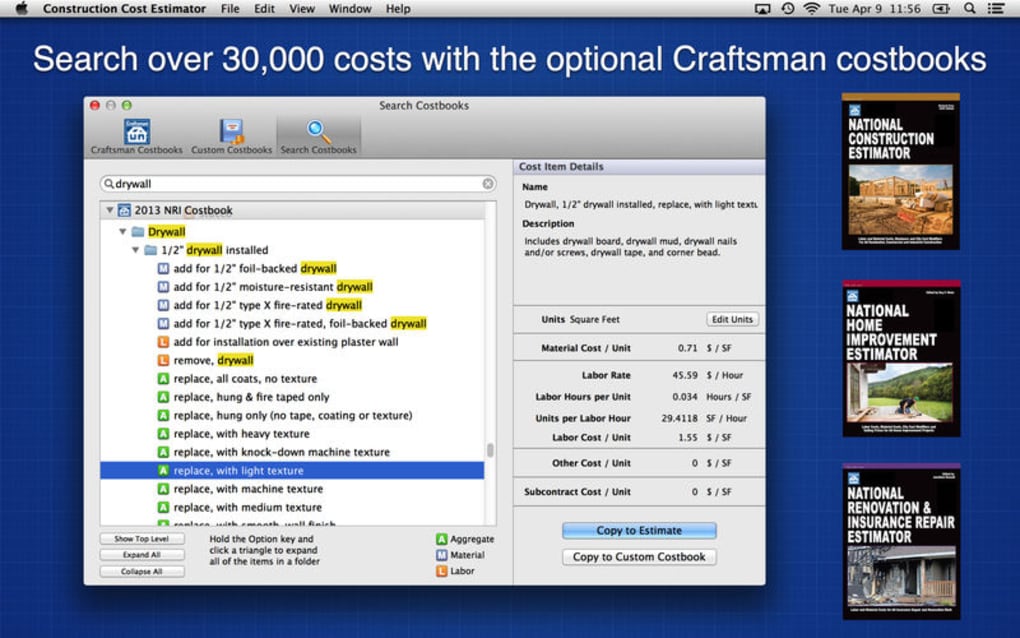
- Extensive material and labor database with regional price adjustments.
- One‑click import of saved cost items for recurring work packages.
- Real‑time cost calculations with automatic tax, markup, and contingency handling.
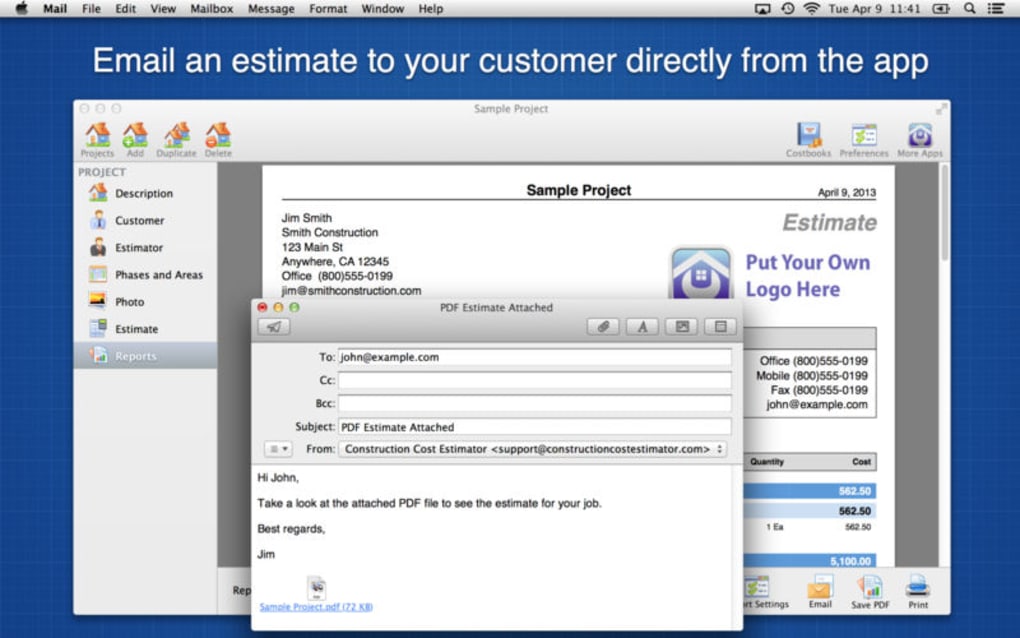
- Professional PDF and Excel export options for client‑ready proposals.
- Integrated project dashboard that tracks budget versus actual spend.
- Secure cloud sync for multi‑device access on Windows, macOS, Android, and iOS.
- Regular free updates that add new templates, pricing tables, and compliance checks.
Pros
- Highly accurate calculations reduce costly overruns.
- Time‑saving templates accelerate bid preparation.
- Cross‑platform support lets teams collaborate on Windows, Mac, Android, and iOS.
- Secure data handling protects confidential project details.
- Free updates keep the software aligned with industry standards.
Cons
- Initial learning curve for users unfamiliar with digital estimating.
- Advanced features may require a paid license after the trial period.
- No built‑in accounting module; integration with third‑party software is needed.
Review Summary: Construction Cost Estimator delivers a seamless blend of precision and convenience. Its template system and live calculation engine make it an essential tool for any contractor looking to submit competitive bids quickly. While the interface may take a few sessions to master, the long‑term productivity gains far outweigh the initial setup time. Overall, it earns a solid 4.5‑star rating for accuracy, usability, and cross‑platform flexibility.
Installation, Usage & Compatibility
Downloading and Installing the Software
To get started, visit the official website and click the Download button that matches your operating system. The installer is a secure, signed package that automatically checks for the latest version during installation, ensuring you receive all recent bug fixes and feature enhancements. Windows users will receive an .exe file, macOS users an .dmg, while Android and iOS users can download the app directly from Google Play or the Apple App Store. The setup wizard guides you through standard steps: accept the license agreement, choose an installation folder, and optionally enable automatic updates. Once installed, launch the app and create a free account to activate the cloud sync feature.
Getting the Most Out of Construction Cost Estimator
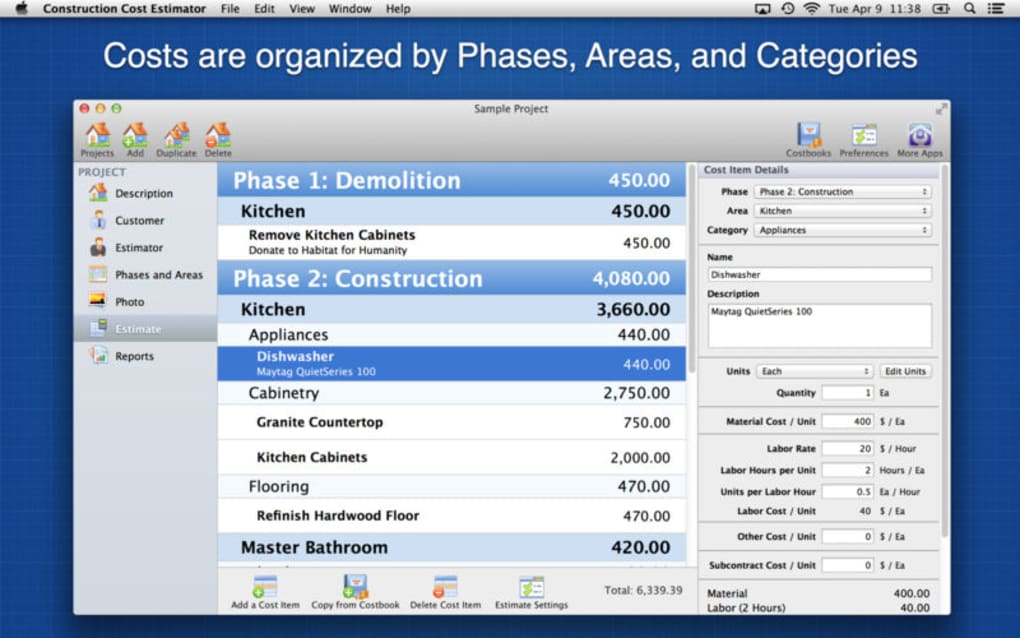
Upon first launch, the onboarding wizard helps you configure core settings such as default labor rates, regional material pricing, and preferred currency. You can then select a pre‑built template—Residential New Build, Commercial Retrofit, or Custom Project—and start adding line items. Each entry includes fields for quantity, unit cost, markup, and notes, with auto‑calculated totals appearing in real time. The “Save as Favorite” button lets you store frequently used items, which can be dragged into new estimates with a single click. For larger teams, the shared workspace feature enables multiple users to collaborate on the same estimate, with change tracking and version history.
Operating System Support
Construction Cost Estimator is fully compatible with the latest versions of Windows 10/11, macOS Ventura and later, Android 8.0+, and iOS 14+. The software leverages native UI components on each platform to deliver a consistent experience, while the cloud‑based backend ensures that data stays synchronized across devices. Minimum system requirements include 2 GB RAM, 500 MB of free disk space, and a stable internet connection for cloud features. The app also supports offline mode; you can create and edit estimates without connectivity, and changes will sync automatically once you are back online.
Frequently Asked Questions
Is Construction Cost Estimator free to use?
The software offers a free trial with full feature access for 30 days. After the trial, a standard license can be purchased, but essential functions like template creation and basic cost calculations remain free for small‑scale users.
Can I import my existing cost data?
Yes. Construction Cost Estimator supports CSV and Excel import, allowing you to bring legacy spreadsheets into the app. The import wizard maps your columns to the appropriate fields, making the transition seamless.
How secure is my project data?
Data is encrypted both at rest and in transit using AES‑256 encryption. Cloud backups are stored on secure servers with regular security audits, and you can enable two‑factor authentication for added protection.
Does the app integrate with accounting software?
While Construction Cost Estimator does not include a native accounting module, it offers export options to QuickBooks, Xero, and other popular accounting platforms via CSV or API connectors.
Can I customize the estimate layout?
Absolutely. The software includes a drag‑and‑drop designer that lets you rearrange sections, add company branding, and select from multiple PDF and Excel templates to match your client’s preferences.
Conclusion & Call to Action
Construction Cost Estimator stands out as a reliable, secure, and feature‑rich tool that transforms the way contractors and project managers handle budgeting. By offering customizable templates, real‑time calculations, and cross‑platform accessibility, it reduces the time spent on manual spreadsheets and minimizes the risk of costly estimation errors. Whether you are preparing a quick quote on a mobile device or generating a comprehensive bid on a desktop, the app delivers consistent accuracy and a professional look. Take advantage of the free trial today, experience the seamless workflow, and see how this software can boost your profitability and client confidence. Download Construction Cost Estimator now and start delivering precise, trustworthy cost estimates that set your business apart.







